Edit, redact and merge PDFs
The PDF editor runs in your browser. Files are not uploaded to edit them.
Updated
-
1Open a PDF
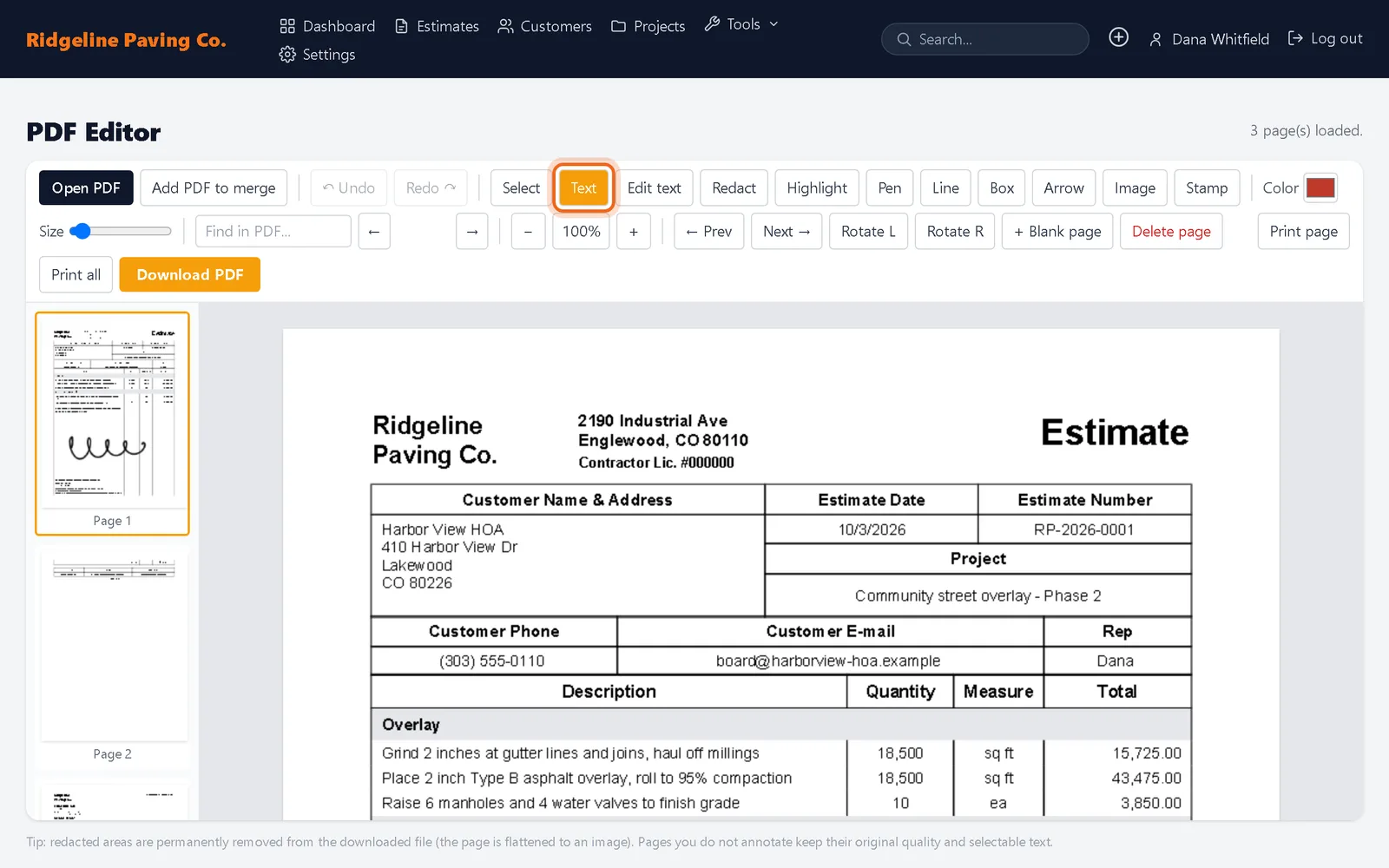
Open Tools, then PDF Editor, and click Open PDF. Use Add PDF to merge to append another file.

-
2Mark it up
Pick a tool: Text, Edit text, Redact, Highlight, Pen, Line, Box, Arrow, Image or Stamp. Click on the page to use it. Rotate, add or delete pages from the toolbar, then click Download PDF.
Good to know
- Redacted areas are permanently removed from the downloaded file. Pages you do not touch keep their original quality.