Import customers and past estimates from QuickBooks
The importer reads QuickBooks exports, previews what it found and only then saves. Customers are matched by email, then by name, so you will not get duplicates.
Updated
-
1Export from QuickBooks
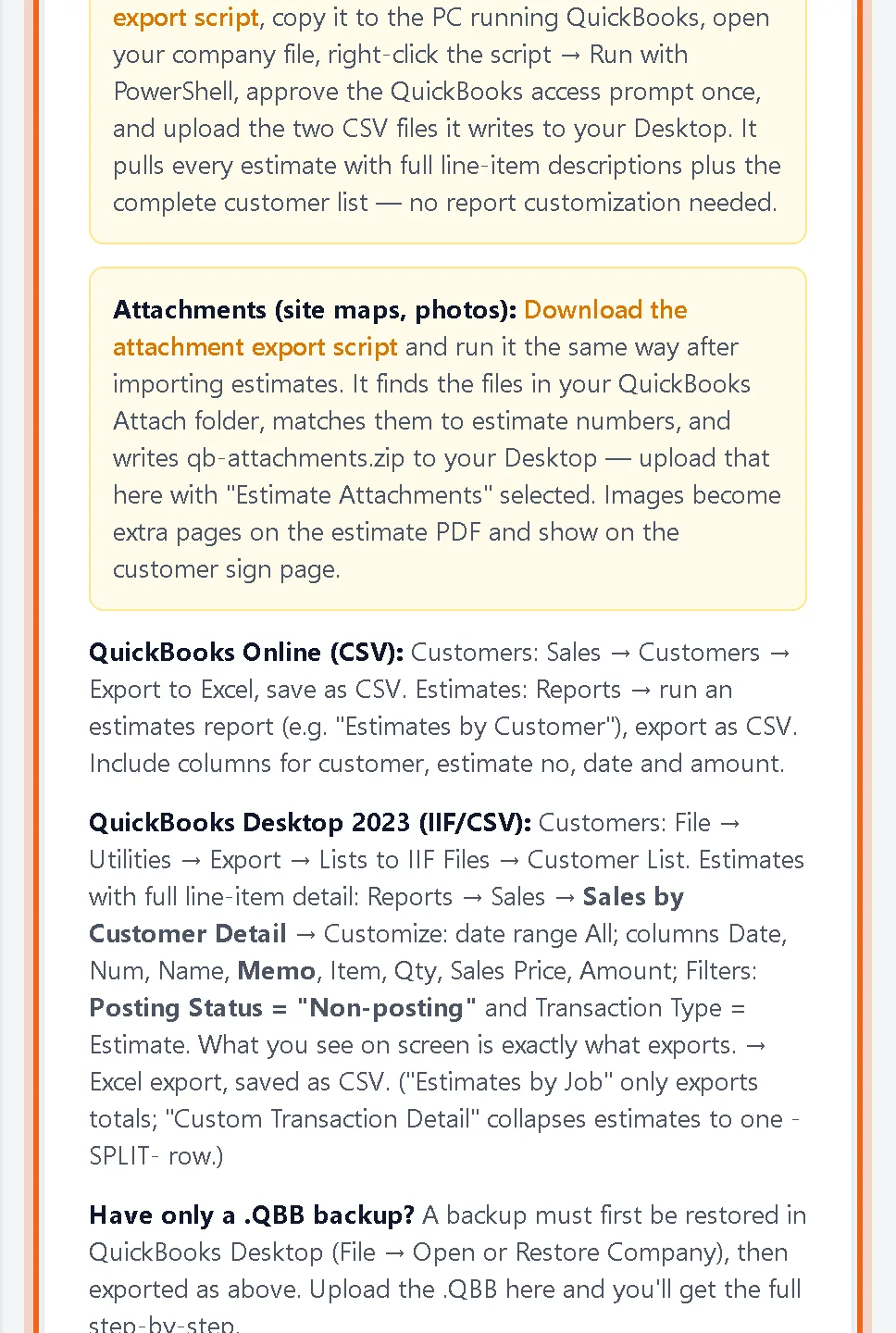
Open Settings, then Import. The page explains the export for your version. For QuickBooks Desktop, download the export script and run it on the PC with QuickBooks. It writes two CSV files to your Desktop. For QuickBooks Online, export customers and an estimates report as CSV.
-
2Upload and preview
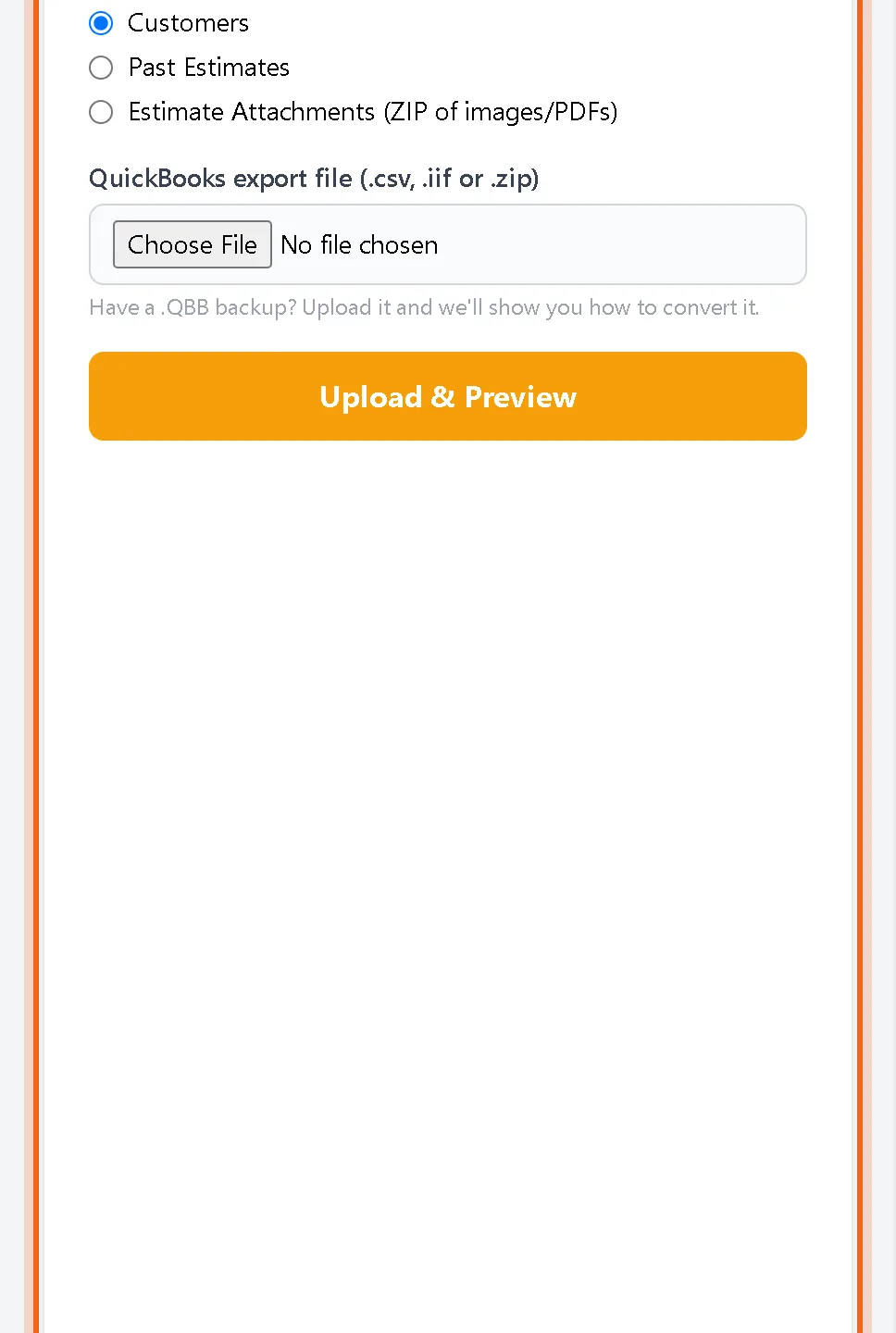
Choose what you are importing (customers, past estimates or estimate attachments), pick the file and click Upload & Preview. Check the preview, then confirm.
Good to know
- Import customers first, then estimates, then attachments.
- Imported estimates are read only with the status imported. Duplicate one to send a fresh version.
Questions
I only have a QuickBooks backup file. What now?
Restore the backup in QuickBooks Desktop first, then export as described on the Import page.
Can I undo an import?
Yes. The Import page has a section to remove imported data. Anything you created by hand is kept.