Track which estimates were viewed and signed
Every estimate moves through draft, sent, viewed and signed. Voided estimates are kept for the record.
Updated
-
1Check the dashboard
The tiles at the top count your estimates by status. Recent estimates and recent activity sit below.

-
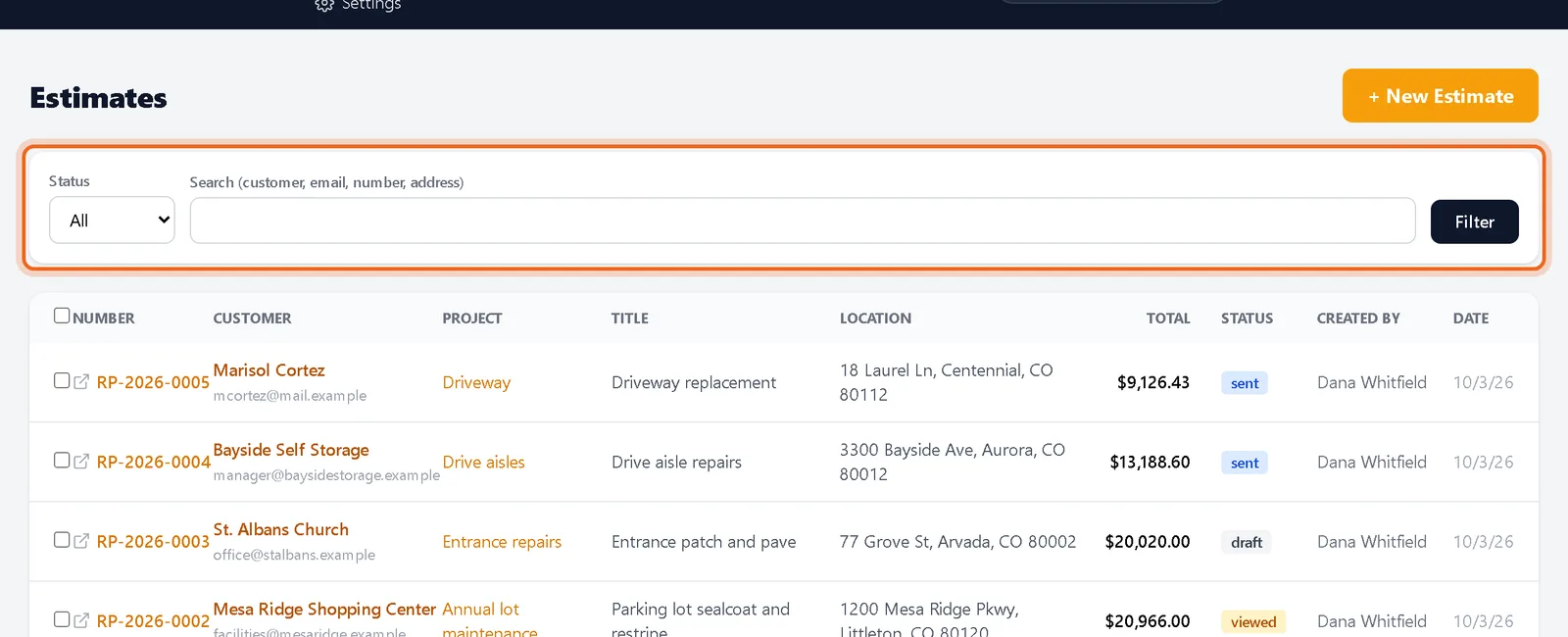
2Filter the estimate list
On Estimates, pick a status or search by customer, email, number or address.
-
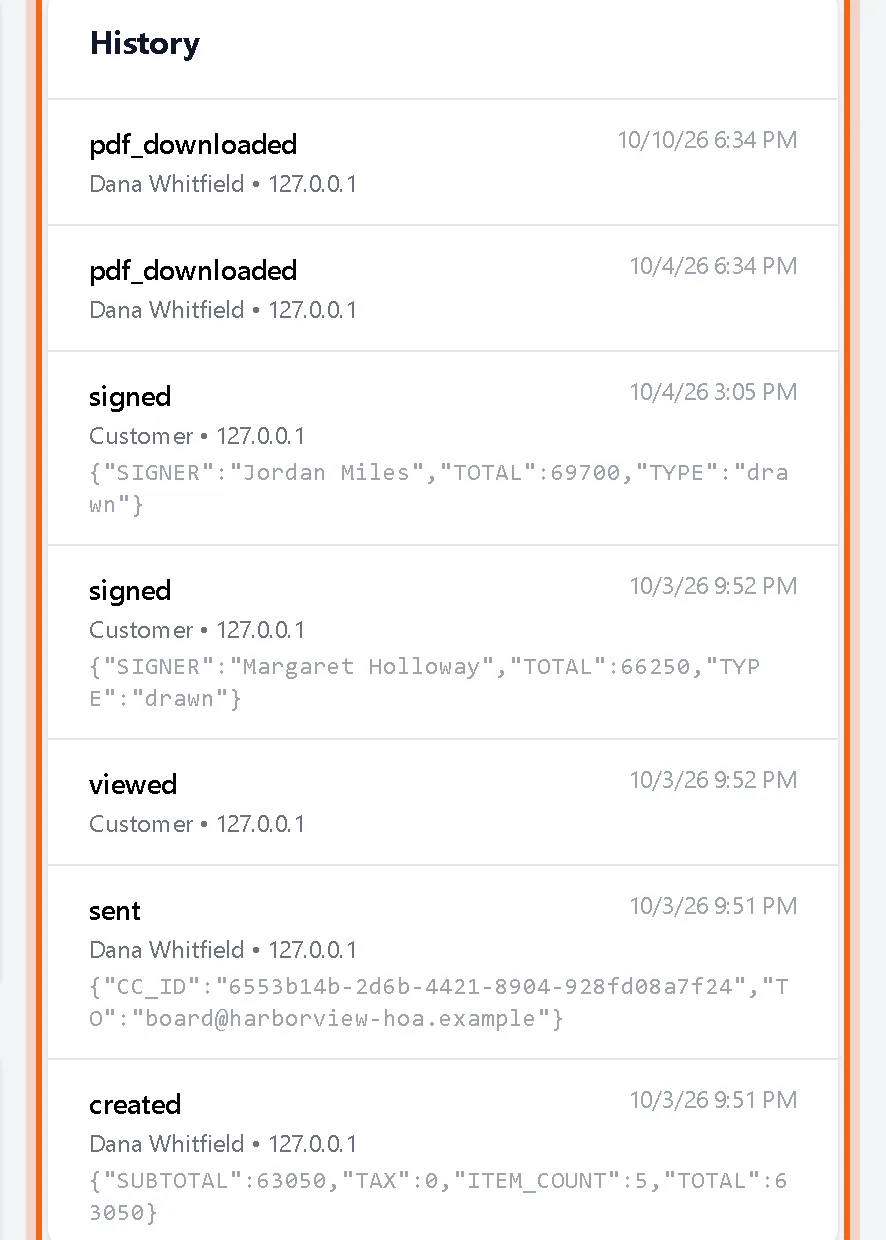
3Read the history
Each estimate page has a History panel: created, sent, viewed, signed and downloaded, with who did it and when.
Questions
How do I know a customer opened the estimate?
The status changes to viewed the first time they open the sign page, and the history records it.