How your customer signs an estimate
Your customer opens the link from their email. It works on any phone, tablet or computer without an account.
Updated
-
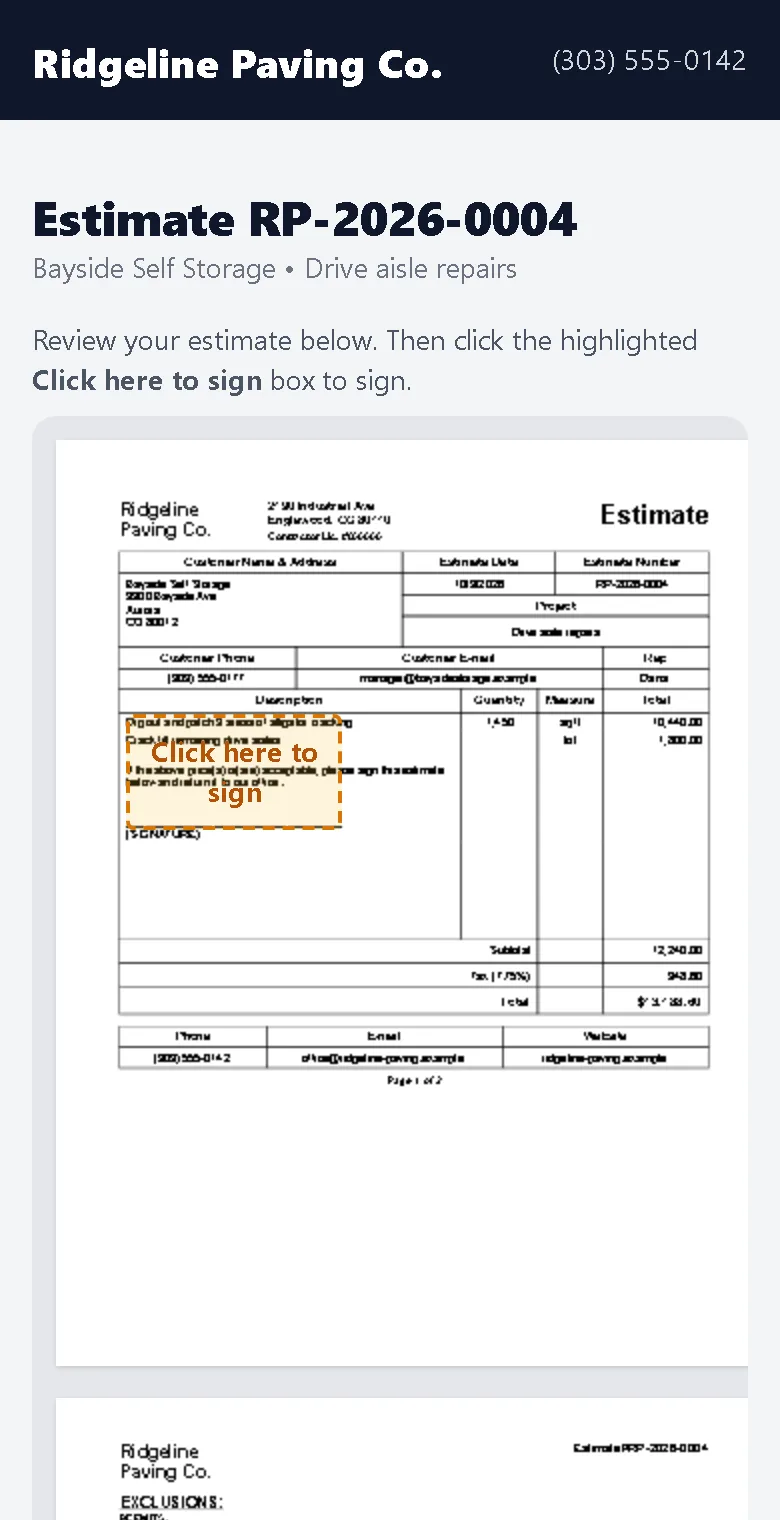
1They review the estimate
The page shows your logo and the full estimate exactly as it prints, including photos and site maps.
-
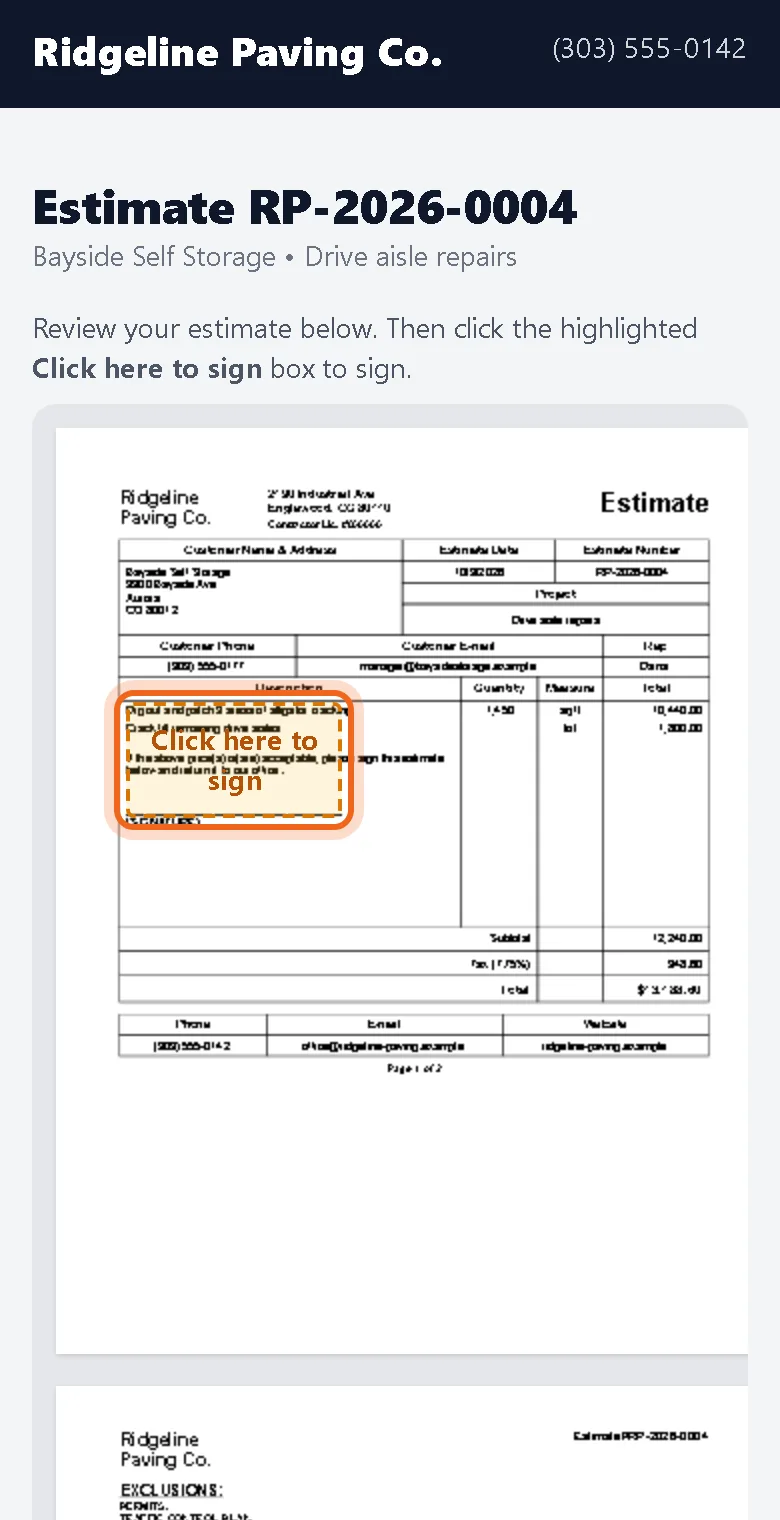
2They tap the highlighted box
A box marked Click here to sign sits on the signature line. If there are optional extras, they check the ones they want and initial each one.
-
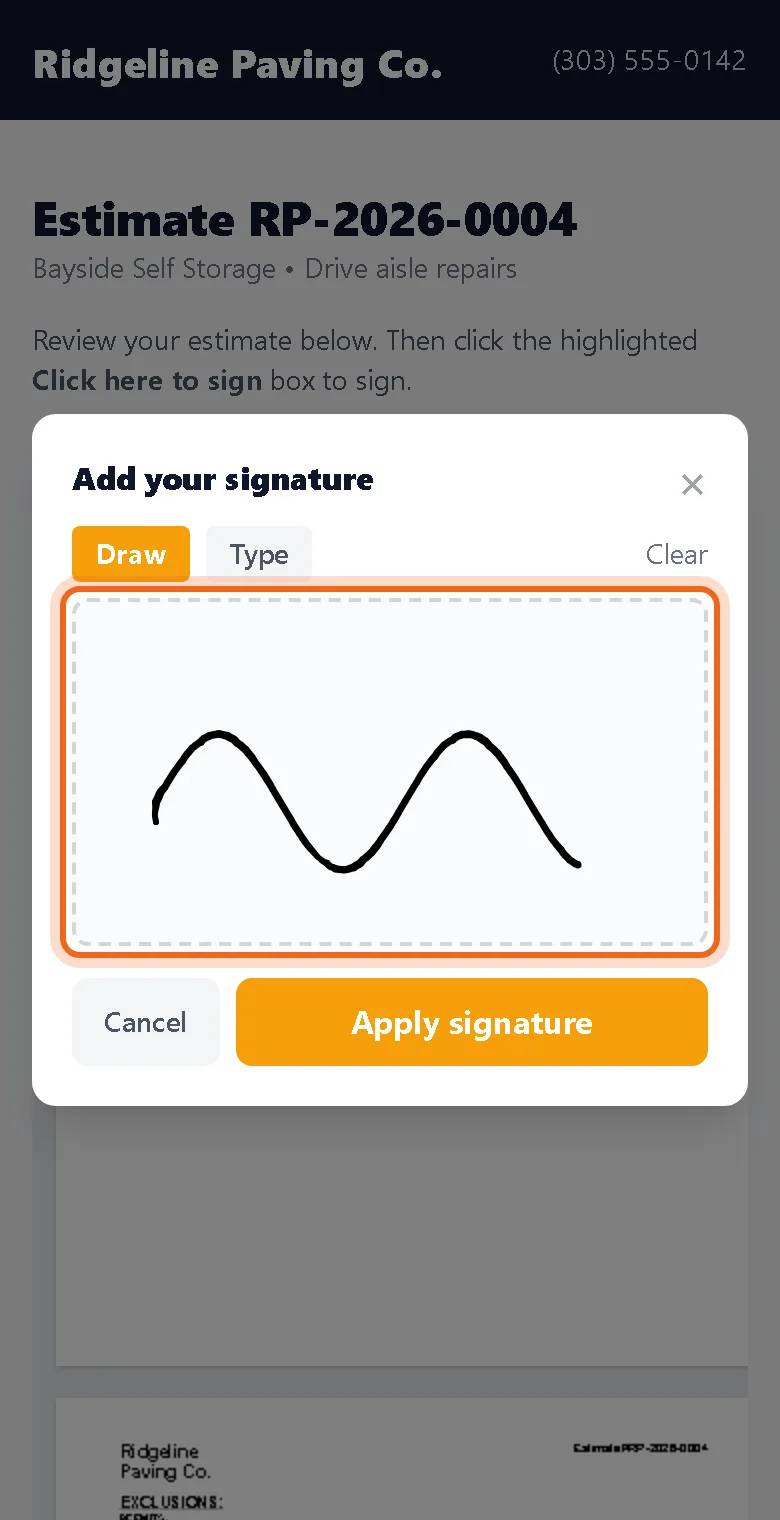
3They draw or type a signature
They sign with a finger, mouse or by typing their name, then tap Apply signature.
Watch it 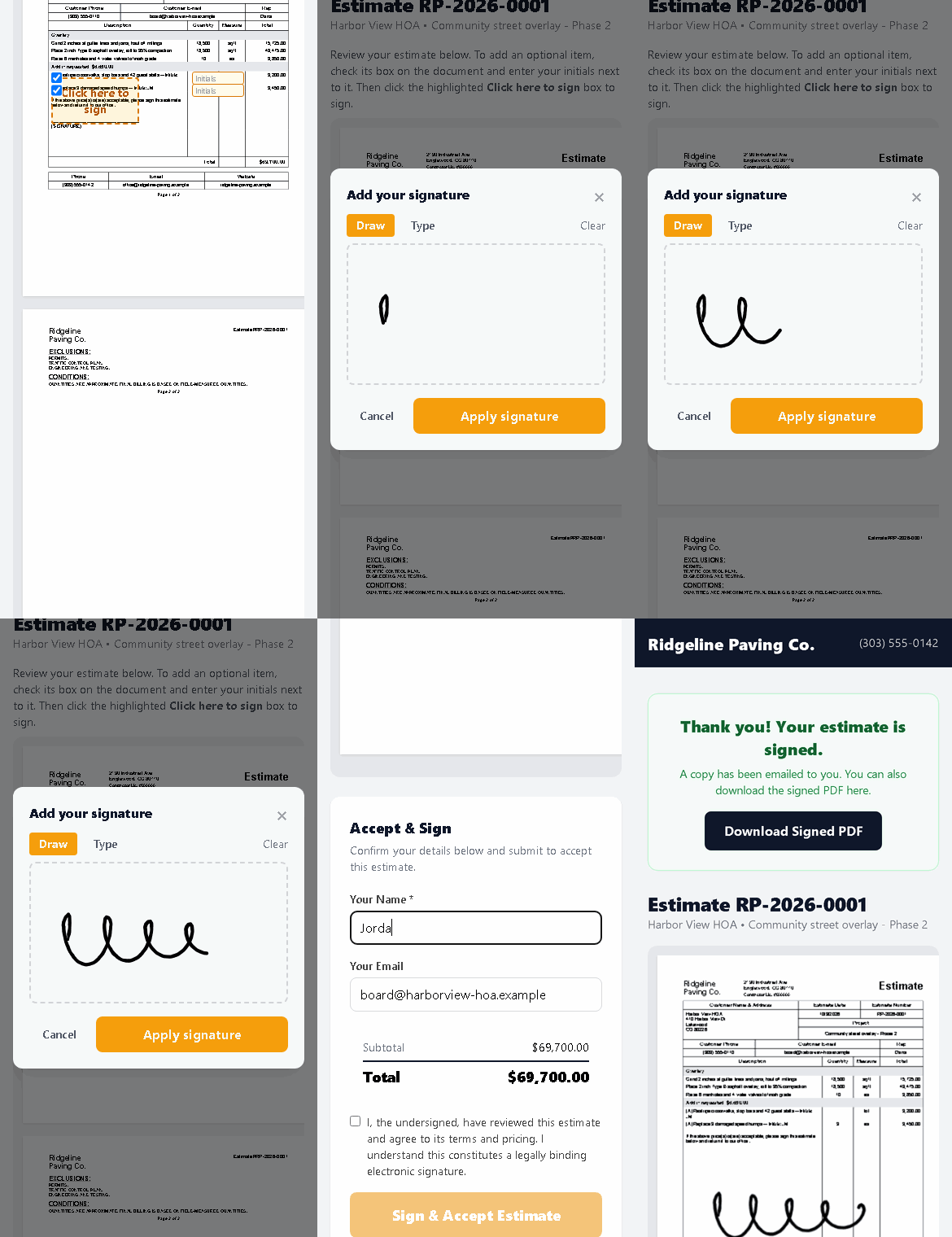
-
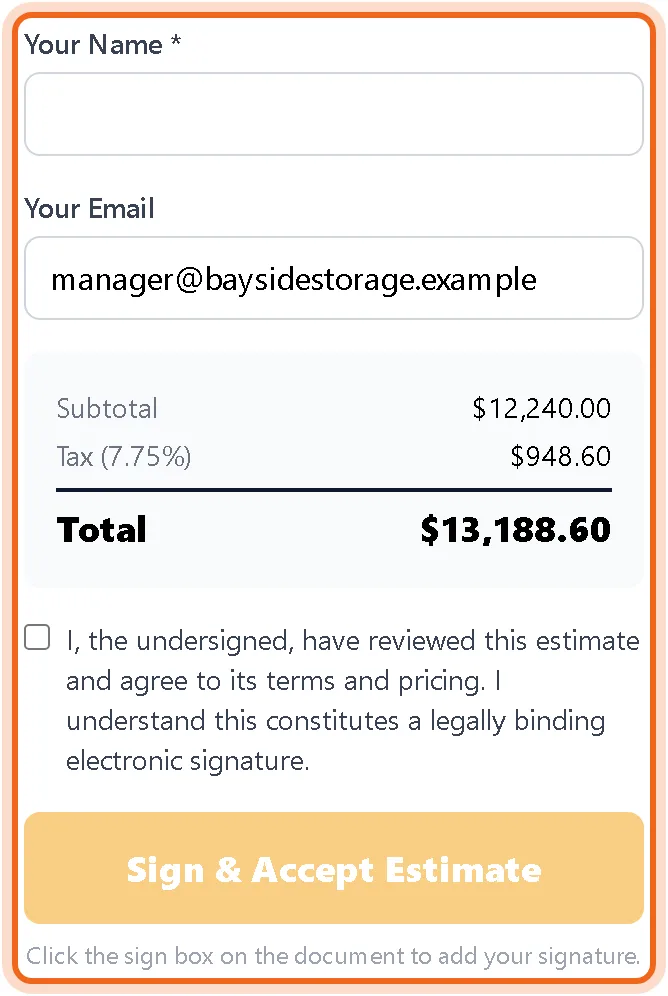
4They accept
They check the box to agree, review the total and submit. They get the signed PDF by email and you get a notice.
Questions
Does my customer need an account?
No. The link in their email is all they need.
What is recorded with the signature?
The signer's name and email, the time, their IP address and a fingerprint of the exact document they signed.