Send automatic reminders for unsigned estimates
Most unsigned estimates only need a nudge. Set your reminder rules once and every estimate you send follows them.
Updated
-
1Set your rules
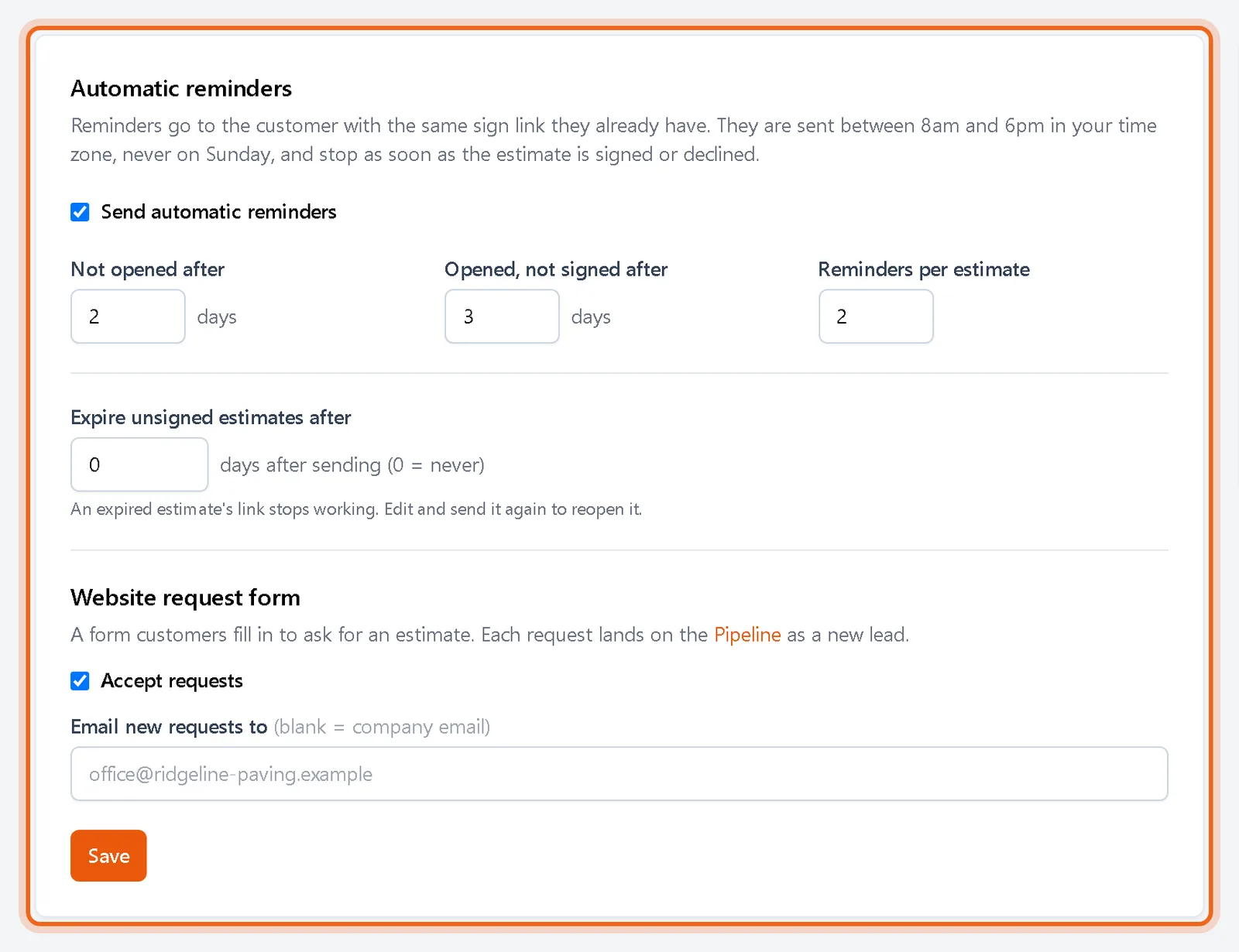
Go to Settings, Sales. Choose how many days to wait when an estimate has not been opened, how long to wait once it was opened but not signed, and how many reminders each estimate gets.
-
2Check or pause one estimate
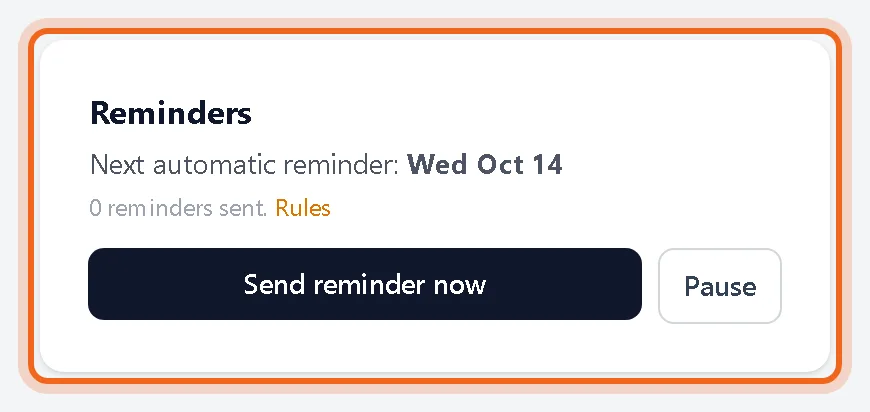
A sent estimate has a Reminders box with the date of the next reminder. Click Send reminder now to send one right away, or Pause to stop reminders for that estimate.
Good to know
- Reminders go out between 8am and 6pm in your time zone, never on Sunday.
- Every reminder is listed in the estimate history and in Email Activity.
- Use Expire unsigned estimates after to close out old bids. An expired estimate's link stops working until you edit and send it again.
- Estimates sent before reminders were added need to be sent once more to get them.
Questions
Does the customer get a new link in each reminder?
No. Reminders use the same link as the original email, so the first email keeps working.
When do reminders stop?
When the estimate is signed, declined, edited, voided or expired, or once it has had the number of reminders you set.