Take estimate requests from your website
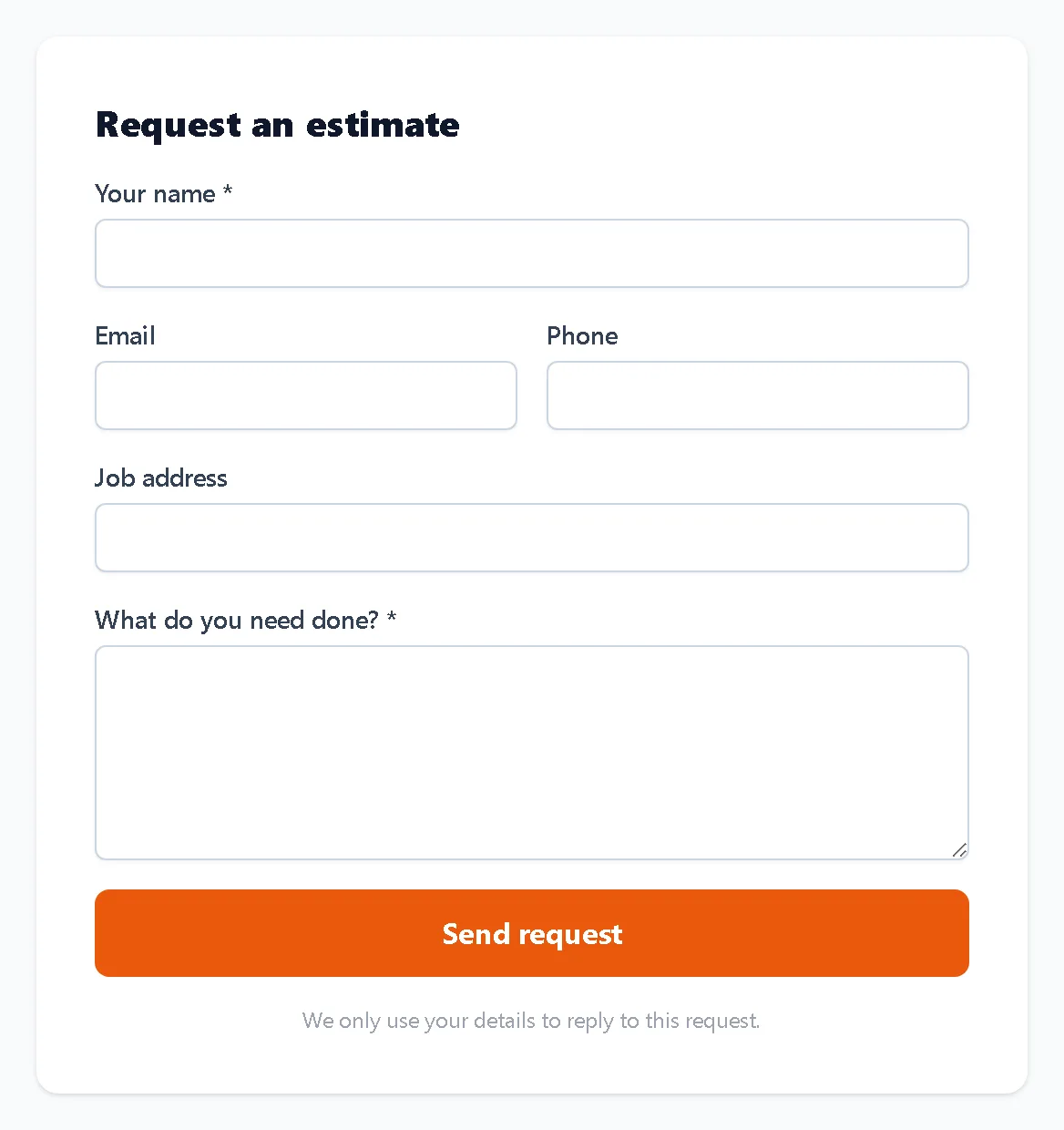
Your company has its own request form. It asks for a name, contact details, the job address and what needs doing.
Updated
-
1Copy your form link
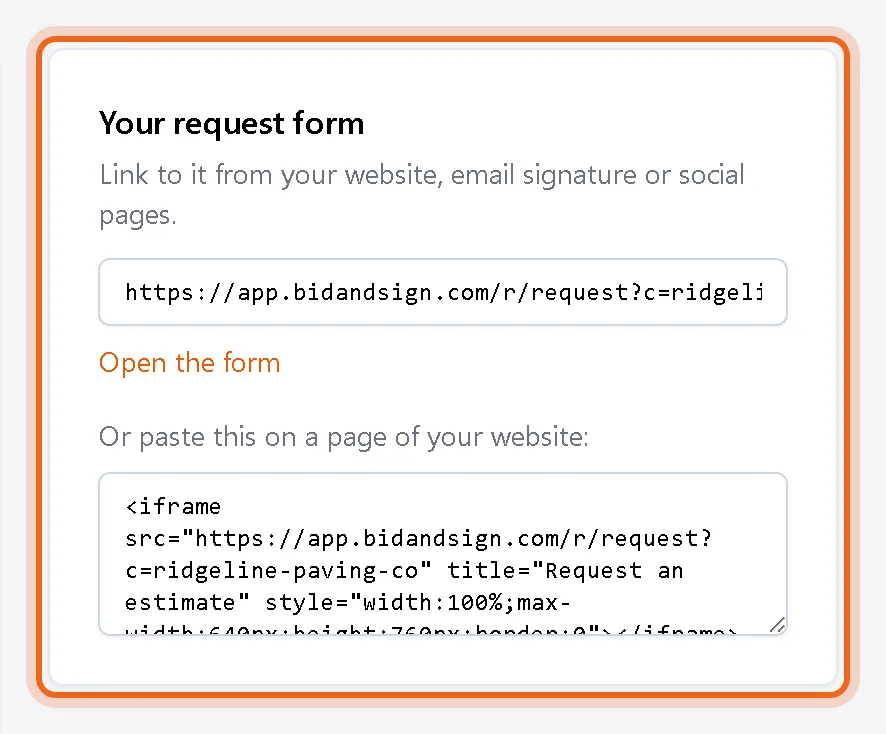
Go to Settings, Sales. Copy the link for your website, email signature or social pages, or copy the code to place the form on a page of your own site.
-
2Customers fill it in
The form shows your company name and logo and works on any phone. Spam is filtered out before anything is saved.
-
3Requests land on your pipeline
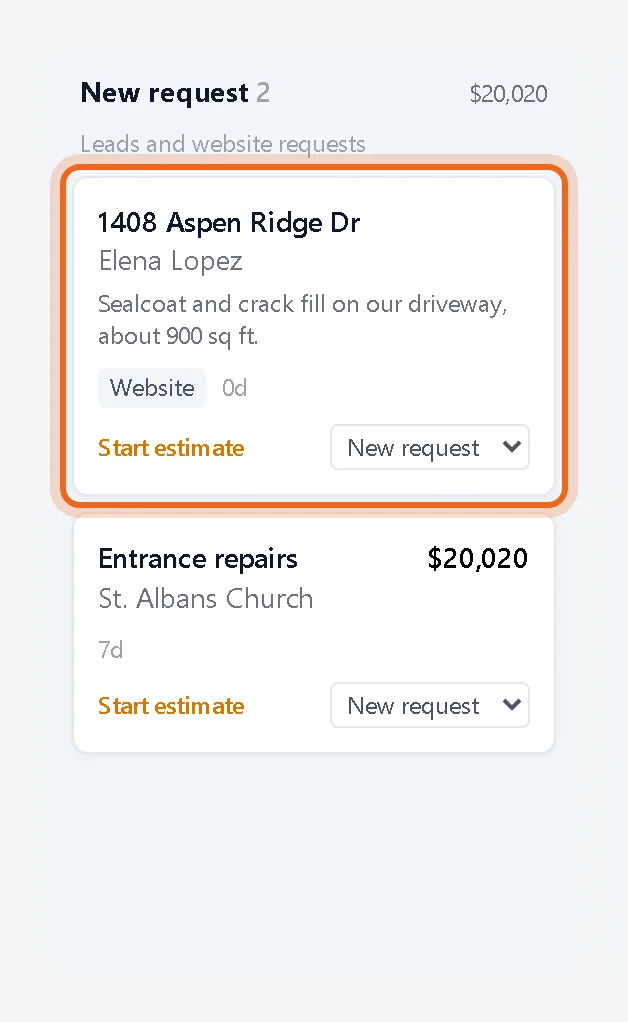
Each request becomes a customer and a card in New request marked Website, and you get an email with the details.
Good to know
- Choose who gets the email under Email new requests to. Leave it blank to use your company email.
- Untick Accept requests to switch the form off.
Questions
Will it create duplicate customers?
No. When the email address or name matches a customer you already have, the request is added to that customer.
Do customers need an account?
No. They fill in the form and press Send request.