Change orders your customer signs on their phone
Add a change order to a signed estimate, list only what changes, and your customer signs it like an estimate. Customers can also ask a question or decline.
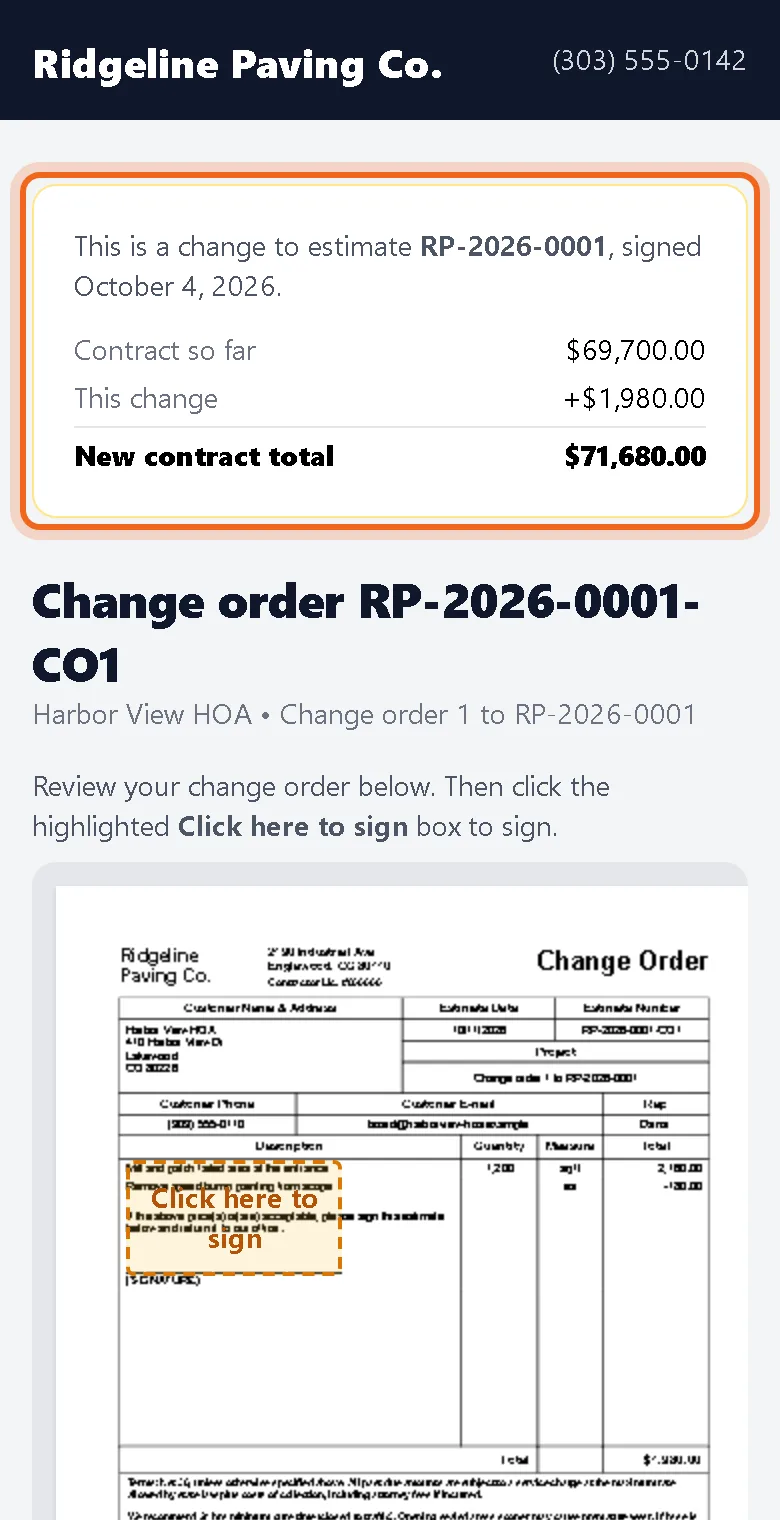
Scope changes after the signature. Now a signed estimate has a Contract box with Add change order.
Only what changes
A change order lists the added work and any credits, using a negative price for work you take out. You send it the same way as an estimate. Before signing, your customer sees the contract so far, the change and the new total.
The original stays locked
The signed estimate never changes. Each change order has its own signature and fingerprint, and the contract total adds up every signed change.
Not ready to sign?
Every sign page now lets your customer ask a question or decline with a reason. Both land in the estimate history and your inbox, so a quiet no becomes something you can answer.